
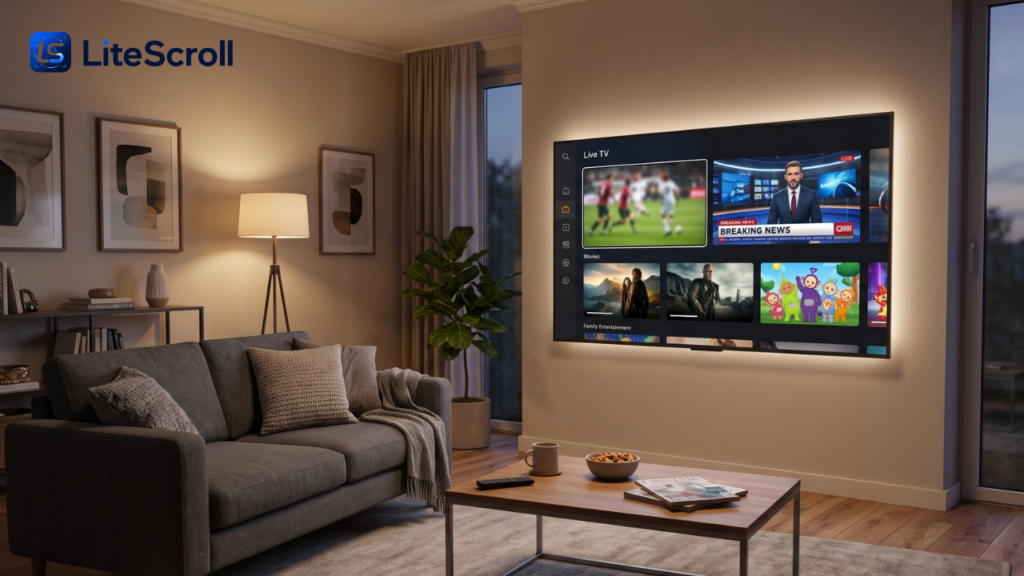
Streaming television through a browser sounds straightforward: select a channel, press play, and watch on a device you already own. The harder questions concern where the video comes from, whether the stream is authorized, and what happens if a page requests unusual permissions. People searching for The TV App encounter a website that advertises free access to live sports, news, movies, and entertainment channels without a conventional subscription. Its claims are worth examining, but a promotional page cannot independently establish streaming rights or security.
This guide looks at the service’s public descriptions, the differences between browser support and actual device compatibility, copyright considerations, and practical ways to compare legitimate television options. Readers can use the same checks for other streaming websites rather than assuming a familiar channel logo proves a service is authorized.
Understand What the Website Says It Offers
The TV App describes itself as a browser-based live television directory, with sections for sports, news, entertainment, and movies. Its homepage says viewers do not need to create an account or install separate software. It also advertises hundreds of channel selections, multiple stream sources, and high-definition playback. These are statements from the site’s operator, not an independently audited channel inventory or guarantee that each advertised stream currently works. Sports, News & Movies
Sports, News, and General Entertainment
The site’s promotional page names major sports such as basketball, football, baseball, hockey, soccer, and combat sports. It also refers to familiar television networks and family-oriented programming. For anyone evaluating The TV App, the important distinction is between a channel name appearing on a website and the platform holding valid permission to distribute that channel. Rights to major sports events and premium programming are often licensed separately by territory and platform.
Browser Access Instead of a Conventional App
The TV App says it primarily operates through web browsers and does not publish a conventional downloadable application. A browser-based interface may reduce the need for installation, but it does not automatically protect users from deceptive pages, tracking, or unsafe links. Evaluate the specific page and its behavior rather than inferring trust from the delivery method alone.
Separate Advertising Claims From Verifiable Features
The homepage advertises more than 500 channels, resolutions reaching 4K, ad-free viewing, and compatibility with many devices. No independent technical test or licensing documentation was established here to verify those claims across the catalog. The TV App may display different results at different times, and a listed resolution does not mean every source provides the same quality. Treat the stated features as information to investigate, not promises on which to base a costly purchasing decision. Sports, News & Movies
Ask Questions That Can Be Answered Clearly
Identify the specific channels you need, whether the distributor names the relevant rights holders, which countries are supported, and whether a transparent privacy policy describes information collection. If the website provides no meaningful evidence of permission to redistribute premium programming, that gap matters even when the playback interface appears polished. The TV App should be evaluated with the same standard applied to any unfamiliar media service.
Understand Device Compatibility in Practice
A browser page that opens on a laptop is not necessarily optimized for every smart television. Phones, desktop computers, tablets, and streaming devices differ in supported browsers, video codecs, remote navigation, and casting capabilities. The TV App advertises compatibility with Windows and macOS computers, smartphones, smart TVs, and Fire TV-style devices, but those claims do not demonstrate successful playback on every model. Sports, News & Movies
Computers and Mobile Devices
A current browser can typically render modern streaming interfaces, but smooth video also requires a functioning player and compatible media format. Mobile users should check their data limits and battery consumption before watching long live events. If a website unexpectedly demands an unrelated extension or software installer, do not assume that download is required to view television.
Smart TVs and Streaming Sticks
Some televisions include a browser, while others are designed mainly for applications distributed through an official store. Even when a webpage opens, remote controls may make navigation difficult. The TV App advertises casting or mirroring support on certain devices, although this should not be confused with a verified native application for every television platform.
Why Official App Stores Matter
For a device requiring an application, obtain it from a recognized app store and verify its publisher. The FBI warns that unofficial television applications and modified streaming devices can expose households to malicious software. Avoid installing unknown packages merely because a webpage says a separate player is needed. FBI
Examine Picture Quality and Reliability Realistically
Video quality depends on much more than a webpage’s resolution label. Your connection, the source’s capacity, device decoding, wireless congestion, and the broadcast’s original quality all influence playback. The TV App promotes several resolution options and claims consistent availability, but a source can still buffer, disappear, or show a lower-resolution feed. These claims have not been independently verified for every listed channel.
Diagnose Ordinary Playback Problems
If an authorized service buffers, test another legitimate video source on the same device. Check household bandwidth usage, restart the application or browser, and use the provider’s official help resources. A repeated failure limited to one questionable stream may be a problem with that source, not your connection. Do not weaken browser protection or install unfamiliar add-ons in pursuit of uninterrupted playback.
Check Copyright Permissions Before Watching
Copyright and broadcast rights are central to the live television business. A network may authorize one streaming service in the United States and a different distributor elsewhere. The TV App says legal status depends partly on local laws and argues that linking to streams instead of hosting video files supports its model. That statement is not independent proof of authorization for the channels or events advertised. Sports, News & Movies
Free Access Does Not Prove That a Stream Is Licensed
Some free television services are fully licensed and supported by advertising. Others may distribute content without permission. Price alone cannot establish legality, and neither can the absence of a registration requirement. Before relying on The TV App, look for identifiable rights or distribution arrangements and trustworthy information about the company behind the site. INTERPOL advises consumers to be wary of services offering extensive premium programming for little or no cost without a clear legitimate business model. Interpol
Location and Licensing Are Different Questions
A stream appearing technically accessible in another country does not establish the right to watch or redistribute it there. Similarly, a VPN may change apparent network location but does not grant copyright permission. The TV App advertises broad geographical access, yet availability and rights can differ by region. Prefer sources that clearly explain territorial restrictions and offer authorized access for your location.
Protect Your Privacy and Your Devices
A service can allow anonymous browsing and still collect technical information such as IP addresses or device identifiers. The TV App claims its web-only format and lack of mandatory registration make it secure. Those are broad claims; no independent privacy or security audit was established here. A webpage can still contain third-party scripts, trackers, misleading buttons, or links to suspicious destinations. Sports, News & Movies
Recognize Common Streaming Scams
The U.S. Federal Trade Commission has warned that pirate streaming applications and add-ons can carry malware, potentially exposing account credentials and financial details. The FBI has likewise cautioned against unofficial devices and applications promising unrestricted premium entertainment. These are general risk warnings, not proof that this specific website has infected anyone. They are reasons to assess The TV App carefully before granting permissions or entering payment information. Consumer Advice+1
Practical Security Habits
Keep your browser and operating system updated. Do not grant notification access merely to play a video, and never provide banking information to an unexpected popup. Avoid downloading a claimed codec, browser extension, or installation package from an unfamiliar mirror. If a page redirects repeatedly or shows deceptive warnings, close it and use an established provider instead. No ordinary viewer needs to disable device protections to watch television responsibly.
Compare Recognized Free and Paid Alternatives
A safer comparison begins with services that disclose their operator and distribute licensed programming. Pluto TV, Tubi, and The Roku Channel are examples of mainstream free ad-supported viewing services, although their channels and supported devices differ by region. An antenna may also receive available local over-the-air broadcasts without a streaming subscription. Premium live sports often require a separately licensed broadcaster or paid provider. TechRadar
Match the Service to Your Viewing Priorities
If you mainly watch casual entertainment, a licensed free ad-supported television service may meet your needs. If you need particular live sporting events or cable networks, check the official rights holder’s current distribution information and available plans. When assessing The TV App against alternatives, compare licensed channel availability, privacy policies, device support, customer assistance, and total cost rather than simply counting channel thumbnails.
Account for Advertisements and Restrictions
A legitimate free service may show advertisements, limit certain titles, or require an account for personalization. Those conditions can be inconvenient, but they also help clarify how the platform operates. No-subscription access should not be treated as evidence that every premium network on an unfamiliar website is available with the owner’s consent.
Consider Families and Shared Household Devices
Families should review content filters, parental controls, and the chance of children encountering misleading advertisements or unsuitable programs. A website offering kids’ channels is not automatically a child-safe service. The TV App promotes family programming, but its public claims do not establish a comparable parental-control system to those supplied by major television platforms. Official family settings and supervised accounts may be a more practical choice. GOV.UK
Review the Service With a Simple Checklist
Before considering any unfamiliar television website, document the essential questions rather than relying on an appealing landing page. The TV App is one example of why access claims and independently confirmed rights should be considered separately.
- Identify the site operator and look for clear distribution or licensing information.
- Confirm the specific channels you want are authorized in your country.
- Check whether required software comes from an official, trusted source.
- Review privacy disclosures, payment demands, and requested browser permissions.
- Compare streaming reliability and supported devices with established services.
- Choose a safer alternative if rights, security, or company identity remain unclear.
For readers who want to review the site’s own presentation, The TV App describes its advertised live television categories, device support, and browser viewing approach. Treat that page as a primary source for what the operator claims—not independent confirmation of licensing, safety, or uninterrupted availability. Sports, News & Movies
Frequently Asked Questions
Is this website described as free?
Yes. The TV App advertises access without subscription fees or registration. That is a claim about its business offering; it does not establish that the service has permission to distribute every network or sports event shown on its pages.
Does it provide a native application for every device?
The website primarily describes browser-based access rather than a conventional official app. The TV App claims broad compatibility, but a page loading on a smart television is not the same as validated support for that device’s browser, remote, or video system.
Can viewers assume the streams are legal?
No. Rights depend on the content, distributor, and territory. A website saying it only links to streams does not, by itself, establish authorization. Check the relevant broadcaster’s official viewing options when the license status is unclear.
Does the absence of a login guarantee privacy?
No. Websites can process technical and browsing data without requiring an account. The TV App makes strong privacy claims, but viewers should look for independent evidence and avoid granting unnecessary access or downloading untrusted software.
What if a channel freezes or fails to start?
First verify that the internet connection and device work with a known authorized service. If the issue appears only on one unfamiliar stream, it may be unavailable or incompatible. Avoid following prompts to install unknown codecs or disable browser security.
Are there legitimate free television options?
Yes. Licensed, advertising-supported services provide free entertainment and selected live channels, though availability varies. Local broadcast television and official broadcaster apps are also worth checking. For premium live sports, confirm the current authorized distributor in your market.
Conclusion
Choosing a television streaming website requires more than comparing channel counts and playback buttons. The TV App advertises convenient browser access to a wide selection of programming, but its channel, security, and licensing claims should not be mistaken for independently established facts. Evaluate rights, device compatibility, and data practices before trusting an unfamiliar service. Established authorized providers offer a clearer starting point for reliable, responsible viewing.