
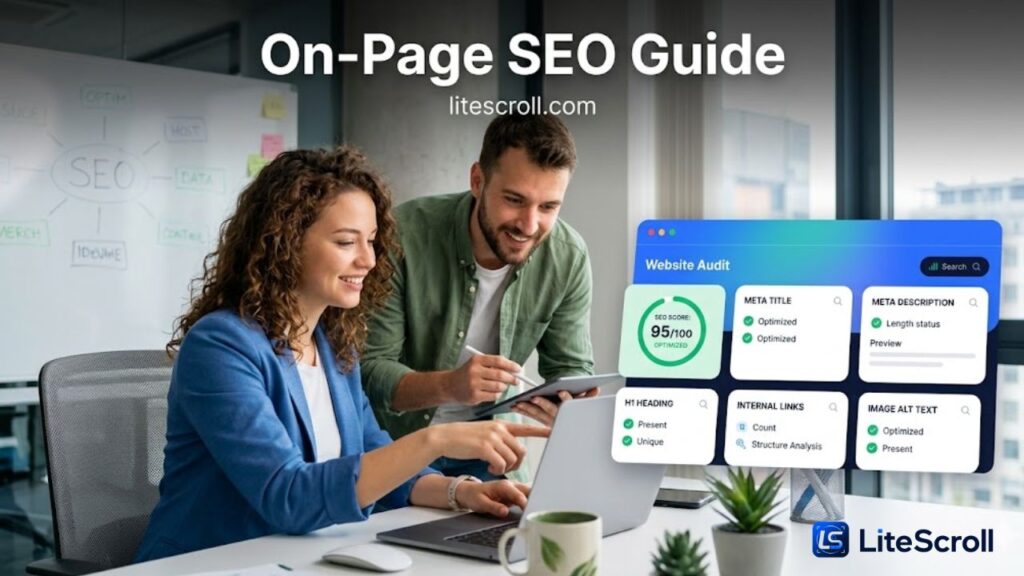
On-page SEO is the work you do inside a page to make it clearer for search engines and more useful for visitors. It includes the page title, meta description, main heading, subheadings, internal links, image alt text, content structure, and the signals that help a page feel complete. For a small website owner, blogger, freelancer, or WordPress user, this is often the easiest part of SEO to improve because the fixes are usually inside your control.
This on-page SEO guide explains how to review the most important page elements using LiteScroll SEO Crawler and LiteScroll SEO Inspector. You can use the crawler to find issues across a website, then use the inspector to check one important page directly inside Chrome. Together, they make a simple workflow for improving pages before publishing, updating old content, or preparing a deeper SEO audit.
What on-page SEO means
On-page SEO is not only about adding a keyword to a page. A good page should clearly tell users what the page is about, answer the search intent, use a readable structure, and connect to related pages. Search engines look at many signals, and users decide quickly whether a page feels helpful. That is why on-page SEO should focus on clarity, usefulness, and clean organization.
• The title should describe the page topic clearly.
• The meta description should summarize the page in a useful way.
• The H1 should match the main topic and not confuse the visitor.
• Subheadings should make the content easy to scan.
• Internal links should guide users to related pages on your website.
• Images should use helpful alt text when the image adds meaning.
Start with the meta title
The meta title is one of the first elements to review. It can influence how a page appears in search results and browser tabs. A useful title is specific, readable, and unique to that page. Avoid vague titles like “Home” or “Services” because they do not explain what the page actually offers.
Google explains that title links in search results are generated automatically from multiple sources, including the title element and other visible page signals. This is why a title should be clear, concise, and consistent with the page content. You can read Google’s official guidance here: Google Search Central title links guidance.
A good title for a LiteScroll blog post should usually include the main topic near the start. For example, “On-Page SEO Guide” is clear because it immediately tells the reader what they will learn. If you are using Rank Math, this also helps because the focus keyword appears near the beginning of the SEO title.
Quick title checklist
• Use one main topic per title.
• Place the main keyword near the start when it reads naturally.
• Keep it clear instead of trying to stuff many keywords.
• Make sure each page has a unique title.
• Use your brand name when it helps build recognition, such as litescroll.com or LiteScroll.
Write a better meta description
The meta description should help users understand why the page is worth clicking. It does not need to be a long paragraph. A strong description usually gives a short summary of the page, includes the main topic naturally, and explains the benefit for the reader.
For LiteScroll posts, a good meta description can mention what the guide teaches and connect it to the tool workflow. For example, if the article teaches titles, descriptions, headings, and internal links, the description should say that clearly. Avoid descriptions that are only a list of keywords. They look less useful to users and can reduce trust.
Meta description checklist
• Make it specific to the page.
• Use one or two natural sentences.
• Include the main topic and a clear benefit.
• Avoid repeating the same description across many pages.
• Do not fill it with keyword lists.
Check the H1 and headings
The H1 is the main visible title on the page. In most cases, one clear H1 is enough. The H1 should match the content and support the SEO title. It does not have to be exactly the same as the meta title, but it should not feel unrelated.
Subheadings such as H2 and H3 help readers scan the page. They also help structure the content into logical sections. If a page has long paragraphs without headings, users may leave before they find the answer they need. A clean heading structure is one of the simplest ways to improve user experience.
LiteScroll SEO Inspector can help you review headings on a page. Open a page in Chrome, click the LiteScroll extension, and check the Headings tab. If the page has missing H1 text, repeated H1s, or weak section headings, you can fix them before publishing.
Use internal links to connect related pages
Internal links help visitors move from one helpful page to another. They also help search engines discover relationships between pages on your website. For litescroll.com, internal links are especially important because the site has related pages for the crawler, inspector, extension download, pricing, and Pro SEO Audit.
For example, a blog post about page checks should naturally link to LiteScroll SEO Inspector because that page explains the Chrome extension. A guide about site-wide checks should link to LiteScroll SEO Crawler because that tool scans multiple pages. If the reader needs deeper support, you can link to LiteScroll Pro SEO Audit.
Internal linking checklist
• Link to pages that genuinely help the reader.
• Use descriptive anchor text instead of “click here”.
• Add links to important branded pages where relevant.
• Avoid forcing too many links into one paragraph.
• Update old posts when new important LiteScroll pages are published.
Improve image alt text
Images make articles more attractive, but they should not be ignored in SEO checks. When an image adds meaning, alt text helps describe it. For decorative images, alt text can be shorter or left empty depending on how the image is used. The main goal is to help users and accessibility tools understand important visuals.
For LiteScroll posts, featured images should be colorful and clear. A good image might show a team reviewing an SEO dashboard, with UI cards for title, description, headings, links, and image alt text. The image should support the topic instead of being a random stock photo.
Review the page with LiteScroll SEO Crawler
After publishing or updating a page, run LiteScroll SEO Crawler to scan the website and find common SEO issues. The crawler helps you review page titles, descriptions, headings, canonical URLs, images, links, and other signals across multiple pages. This is useful when you want to check whether the same problem appears on many posts or pages.
For example, if several pages have missing meta descriptions, weak titles, or missing H1 tags, the crawler can help you find them faster. You can then update the most important pages first instead of guessing which pages need attention.
Inspect important pages with LiteScroll SEO Inspector
For a single important page, use LiteScroll SEO Inspector to check the current page directly in Chrome. This is useful before publishing a new guide, after updating a landing page, or when reviewing a client page. The extension can help you review titles, descriptions, headings, links, images, schema, social tags, and keyword placement.
If you have not installed it yet, use the LiteScroll SEO Inspector Download page. After installing the extension, open your page, run the check, copy the summary, and review the results before publishing updates.
Simple on-page SEO workflow
Here is a simple workflow you can use for every important page on litescroll.com or any WordPress website:
• Choose one main topic and write a clear SEO title.
• Write a unique meta description that explains the page benefit.
• Use one strong H1 and helpful H2/H3 sections.
• Add internal links to related useful pages.
• Check image alt text for meaningful images.
• Run LiteScroll SEO Inspector on the current page.
• Run LiteScroll SEO Crawler to check the wider site.
• Update old posts when you find repeated issues.
Common on-page SEO mistakes
Many pages do not fail because of one big issue. They often underperform because of several small problems together. Fixing these small issues can make the page clearer and more professional.
• Using the same title format on every page.
• Writing a meta description that is too generic.
• Publishing a page without a clear H1.
• Using headings only for design instead of structure.
• Forgetting internal links to related pages.
• Uploading images without useful alt text.
• Not checking the final page after publishing.
When to request deeper help
If your site has many pages, repeated SEO issues, or important pages that need a deeper review, a basic checklist may not be enough. In that case, you can use LiteScroll Pro SEO Audit to request a deeper review and a clearer priority plan.
Start with the free tools first. Run the crawler, inspect key pages, fix obvious issues, and then request LiteScroll Pro SEO Audit if you need deeper support for a larger site or business project.
Final thoughts
On-page SEO is not about making a page look perfect for a tool score only. The real goal is to make the page easier to understand, easier to scan, and more useful for the reader. When your title, description, headings, internal links, and images all support the same topic, the page becomes stronger.
Use LiteScroll SEO Crawler for site-wide checks and LiteScroll SEO Inspector for page-by-page review. This simple workflow can help you publish cleaner pages, improve old content, and build a more organized SEO foundation for litescroll.com.
FAQ
What is on-page SEO?
On-page SEO means improving the elements inside a page, such as the title, meta description, headings, internal links, image alt text, and content structure.
Can LiteScroll help with on-page SEO?
Yes. LiteScroll SEO Crawler can scan multiple pages for common SEO issues, while LiteScroll SEO Inspector can review one current page in Chrome.
How many internal links should a page have?
There is no fixed number for every page. Add internal links where they genuinely help the reader move to a related useful page.
Should every page have a meta description?
Yes, important pages should have a unique meta description. It helps summarize the page and can improve how the page appears in search results.
Should I use the same focus keyword in the title and meta description?
Use the main keyword naturally in the title and description when it fits. Do not force it or repeat it too many times.