
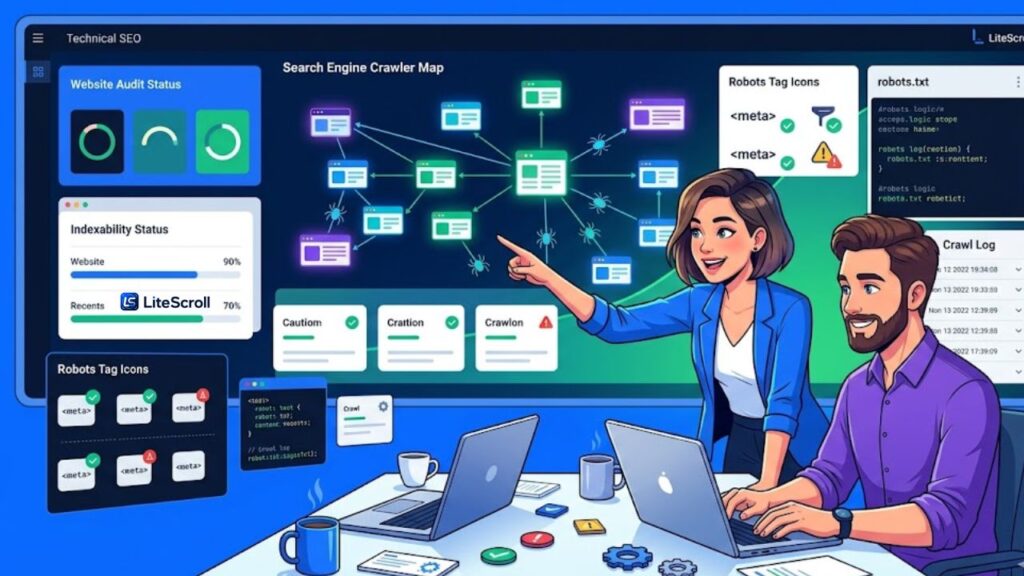
Technical SEO crawlability and indexability are two of the first things you should check before worrying about advanced SEO tactics. If search engines cannot crawl your important pages, or if your pages send weak indexing signals, your best content may struggle to appear in search results. This guide explains how LiteScroll users can review these issues in a simple, practical workflow.
The goal is not to become a technical SEO developer overnight. The goal is to understand the signals that decide whether a page can be discovered, understood, and considered for search results. With LiteScroll SEO Crawler and LiteScroll SEO Inspector, you can make these checks easier and more repeatable.
What crawlability means
Crawlability means whether search engine crawlers can access your pages and follow links across your website. A crawlable website usually has clean internal links, accessible pages, correct status codes, and no unnecessary blocks that stop crawlers from reaching useful content.
A common mistake is thinking that a page is fine just because it loads in your browser. Search engines may still have trouble if the page is blocked, redirected badly, hidden behind scripts, or not linked from anywhere important. This is why a crawler-based review is useful.
What indexability means
Indexability means whether a page is allowed and suitable to appear in search results. A page may be crawlable but not indexable if it has a noindex tag, points to another canonical URL, returns an unexpected status, or gives confusing signals.
For example, a product page, service page, or blog post may be accessible, but if it has a noindex robots tag, search engines are being told not to show it in results. Google Search Central explains that robots meta tags and X-Robots-Tag headers can control how a page is indexed and served in Search. For reference, see the official documentation: Google Search Central robots meta tag documentation.
Why LiteScroll users should check these signals first
Technical SEO issues can waste time if you start with the wrong fixes. You may rewrite a title, improve an article, or add more internal links, but if the page is not indexable, those changes may not help. Crawlability and indexability checks give you a foundation before deeper content improvements.
A simple workflow is to scan your website first, identify the pages with important warnings, then open those specific pages in Chrome and inspect them manually. This is where LiteScroll works well as a two-part system.
Start with LiteScroll SEO Crawler to scan multiple pages and find broad issues. Then use LiteScroll SEO Inspector to inspect important pages one by one inside Chrome.
Technical SEO signals to check in LiteScroll
When reviewing a page, focus on the signals that can affect discovery, crawling, and indexing. These checks are simple, but they help reveal issues that often stay hidden during normal website editing.
1. HTTP status code
The HTTP status tells crawlers what happened when they requested a URL. A normal live page should usually return a 200 status. Redirected pages may return 301 or 302. Broken pages may return 404. Server problems may return 5xx errors.
If important pages return errors, your first priority should be fixing those pages or their redirects. A page that cannot be reached reliably cannot perform well in search.
2. Final URL after redirects
Redirects are normal, but messy redirect chains can create crawl waste and confusion. LiteScroll checks can help you confirm the final URL after redirects. Ideally, your important internal links should point directly to the final live URL instead of passing through unnecessary redirects.
3. Robots meta tag
The robots meta tag can send instructions such as index, noindex, follow, or nofollow. If a page should rank, make sure it is not accidentally set to noindex. This mistake can happen through SEO plugins, staging settings, theme templates, or copied page settings.
If a page is private, thin, duplicate, or not useful for search, noindex may be correct. The key is to make the decision intentionally instead of leaving it to chance.
4. Canonical URL
The canonical tag tells search engines which version of a page should be treated as the preferred version. A self-referencing canonical is often normal for a unique page. A canonical pointing somewhere else may be correct for duplicate or similar pages, but it should be reviewed carefully.
If an important blog post or service page points its canonical URL to another page by mistake, it may weaken the page you actually want to rank.
5. Internal links
Search engines discover and understand pages through links. If a page has no meaningful internal links pointing to it, it may be harder to crawl and weaker in context. A strong technical SEO workflow includes checking whether important pages are linked from relevant pages, categories, navigation areas, and blog content.
6. XML sitemap presence
A sitemap helps search engines discover important URLs, but it does not guarantee ranking or indexing. Use your sitemap as a support signal, not as the only way pages are discovered. Important pages should also have internal links.
How to use LiteScroll SEO Crawler for crawlability checks
Run your website through LiteScroll SEO Crawler and review the crawl report for page-level issues. Start with the most important pages first: homepage, main tool pages, pricing page, about page, blog page, and core SEO guide posts.
Look for pages with missing titles, weak descriptions, missing H1, image alt issues, indexability warnings, canonical problems, or crawl status issues. These are usually the first pages worth reviewing in more detail.
Suggested crawler workflow:
- Run a fresh crawl of your website.
- Sort or review pages with warnings first.
- Check whether important pages return a normal status and appear indexable.
- Review canonical URLs for important pages.
- Export or save the report so you can track fixes later.
How to use LiteScroll SEO Inspector for page-level checks
After the crawl, open a problem page in Chrome and inspect it with LiteScroll SEO Inspector. This is useful because a crawler report gives you the broad view, while the extension gives you a quick current-page view.
Use the Overview tab to check title, description, canonical, robots tag, and indexability. Use the Headings tab to confirm structure. Use Links and Images tabs to review internal links and image alt text. If you have not installed the extension yet, visit the LiteScroll SEO Inspector Download page.
A simple fix priority list
Not every issue has the same value. Technical SEO becomes easier when you fix the highest-impact issues first. Use this order as a practical starting point:
- Fix pages that return errors or unexpected redirects.
- Remove accidental noindex tags from pages that should rank.
- Fix wrong canonical URLs on important pages.
- Improve missing or duplicated titles and meta descriptions.
- Add useful internal links to important pages.
- Fix missing H1 or confusing heading structure.
- Add alt text to important images where relevant.
Example technical SEO workflow for a small website
Imagine you have a small business website with a homepage, service pages, contact page, and ten blog posts. First, run LiteScroll SEO Crawler and scan the site. Then list the pages with warnings. If the homepage and service pages show clean indexability signals, move to metadata and internal links. If one service page has noindex or a wrong canonical, fix that before rewriting content.
Next, open the same service page in LiteScroll SEO Inspector. Confirm the title length, meta description, H1, canonical, robots tag, and internal links. This two-step approach helps you avoid guessing.
Common crawlability and indexability mistakes
- Publishing a page while it is still set to noindex.
- Using the wrong canonical URL after duplicating a page.
- Leaving important pages with no internal links.
- Redirecting old URLs through long redirect chains.
- Blocking important pages with robots settings or security rules.
- Forgetting to update internal links after changing a slug.
When to request a deeper audit
If your site has many pages, repeated technical warnings, or confusing indexing behavior, a deeper review may be useful. You can start with the free crawl, then request a larger review through LiteScroll Pro SEO Audit if you need more page coverage and a clearer fix plan.
Final thoughts
Technical SEO does not need to feel complicated. Start by asking three simple questions: Can search engines reach this page? Is the page allowed to be indexed? Does the page send clear signals about its preferred URL and purpose?
LiteScroll SEO Crawler helps you find website-wide issues, and LiteScroll SEO Inspector helps you check important pages directly in Chrome. Use both tools together, keep your fixes organized, and review your most valuable pages first.
FAQ
What is crawlability in SEO?
Crawlability means whether search engines can access and follow your website pages. If a page is blocked or broken, search engines may not be able to discover or understand it properly.
What is indexability in SEO?
Indexability means whether a page is allowed and suitable to appear in search results. A page may be crawlable but not indexable if it has a noindex tag or confusing canonical signal.
Can LiteScroll find noindex issues?
LiteScroll SEO tools can help highlight indexability signals such as robots tags and page-level warnings so you can review pages that may not be eligible for search results.
Should every page be indexable?
No. Some pages such as thank-you pages, private pages, thin utility pages, or duplicate pages may not need to be indexed. Important public pages should usually be indexable.
What should I check first in a technical SEO audit?
Start with status codes, indexability, canonical URLs, robots tags, internal links, title tags, descriptions, headings, and important image alt text.