
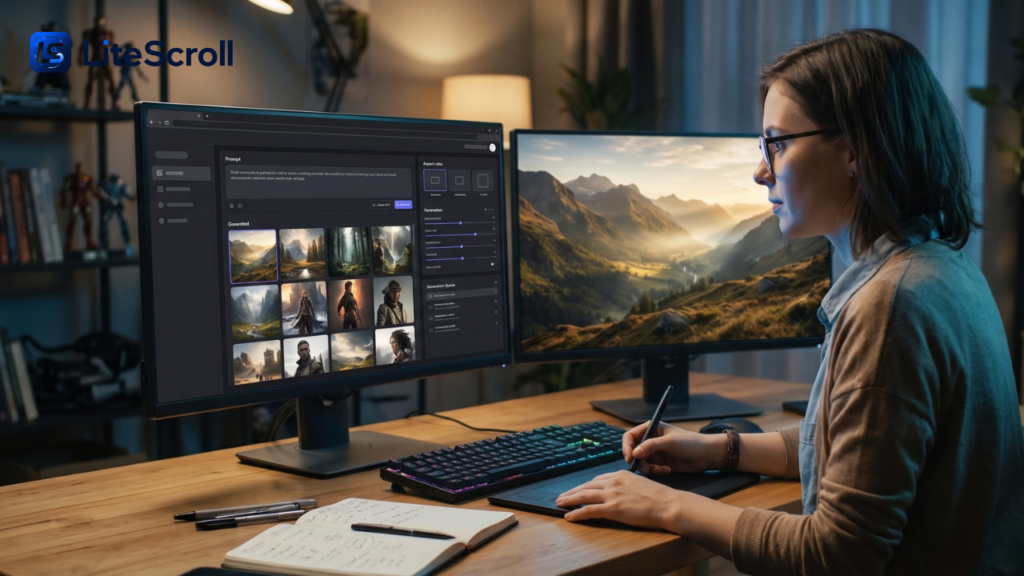
Creating a convincing product scene, illustration, or campaign concept once required a complicated mix of photography, editing, and design software. AI image tools can make the first draft faster, but they still need clear instructions and careful review. Nano Banana 3 is presented as a web-based image generator and editor that accepts text prompts and visual references. For creators, the important question is not whether the interface can produce an attractive picture; it is whether the result matches the brief and can be used responsibly.
This guide explains the platform’s advertised features, a repeatable workflow, practical uses, pricing considerations, and quality checks. It also clarifies a naming distinction that matters when comparing image-generation services.
Understand the Platform Before Choosing a Model
The website describes Nano Banana 3 as a multi-model creative workspace for generating images and editing existing ones. Its visible editor offers text-to-image and image-to-image modes, image uploads, output formats, aspect ratios, and batch settings. Those features describe the website’s interface, not independent proof that every generation will succeed or that every option is free of restrictions. Nano Banana 3
Distinguish a Website Name From an Official Model Name
Google uses the Nano Banana brand for Gemini-based image models, including Nano Banana 2 and Nano Banana Pro. Its published model lineup does not identify a Google model with the official name Nano Banana 3. Accordingly, treat the name here as the third-party website’s product branding unless the operator documents a specific underlying model and provider. This distinction avoids confusing a web service with Google’s own application or API. Google DeepMind
The currently displayed interface, for example, labels one selectable option Nano Banana 2.1 High Quality. Other choices, availability, and credit costs may change.
Begin With a Clear Visual Brief
Good prompts communicate more than a subject. Describe the setting, camera perspective, lighting, composition, materials, intended audience, and format. Nano Banana 3 can turn these details into a starting image, but vague instructions often leave too much to the system’s interpretation. Decide what the image must show before experimenting with styles.
Write a Prompt in Useful Layers
Start with the main subject and its purpose. Add the environment, the action, and two or three visual priorities. Then specify whether the result should look like an editorial photograph, a product advertisement, an illustration, or a realistic architectural concept. Finish with framing and constraints, such as leaving empty space for a headline that will be added later.
For example, an online furniture store could request a walnut side table beside a sofa in a bright apartment, photographed at eye level with soft window lighting and no extra furniture obstructing the product. That gives Nano Banana 3 a more testable instruction than simply asking for a beautiful living room.
Separate Required Details From Creative Freedom
List the features that must remain accurate, such as a product’s shape or a specified color. Put optional mood details in a separate sentence. If accuracy is important, avoid asking the system to invent hidden sides of an object without reference material. The goal is to guide generation without burying the request under contradictory adjectives.
Use Reference Images to Guide Consistency
Text alone can struggle to preserve a particular item across several compositions. The site advertises reference-guided creation and uploads of multiple images, with the limit depending on the selected model. Nano Banana 3 may be useful when a marketer wants several backgrounds around the same product or an artist wants recurring visual characteristics. However, reference images do not guarantee perfect consistency. Nano Banana 3
Assign Each Reference a Role
Explain which image defines the subject, which demonstrates the color palette, and which illustrates the preferred camera angle. Avoid asking the tool to combine incompatible viewpoints without explaining the intended result. For a product campaign, compare the final design against the original product photographs before publishing. Small changes to labels, dimensions, and materials can mislead potential customers.
When using Nano Banana 3 with photos of real people, obtain appropriate permission and avoid implying that an invented scene actually happened. Keep the original files so that changes remain traceable and any misleading details can be corrected.
Edit an Existing Photo With Plain Language
Image-to-image editing is often more useful than starting over. A prompt can request a simpler background, warmer lighting, or a different composition while explicitly preserving the main subject. The service advertises this natural-language editing workflow. Nano Banana 3 should still be treated as a creative aid: the system may unintentionally alter details that the prompt asked it to preserve. Nano Banana 3
Make Small Changes and Inspect the Result
Try one substantial edit at a time. Replace a busy background first, then adjust exposure or framing. Check hands, reflections, product edges, typography, and small repeated patterns, where generated imagery can still contain errors.
A practical Nano Banana 3 workflow includes saving the original, the prompt, and the chosen output. This documentation is especially useful when a client requests revisions or the same design needs to appear across several channels.
Choose Resolution and Aspect Ratio for the Destination
The editor visibly offers PNG and JPG output, common portrait and landscape ratios, and resolution selections labeled 1K, 2K, and 4K. It also describes batch generation of up to ten images under shared settings. Actual availability and credit usage depend on the model and account settings, so check the interface before starting a large job. Nano Banana 3
Match Format to How the Image Will Be Used
A wide editorial header needs different framing from a vertical social story or a square product thumbnail. For social advertisements, leave room around the subject so text and interface elements do not cover important details. Nano Banana 3 gives creators options, but it cannot know every downstream publishing constraint automatically.
Higher output resolution does not fix an inaccurate product or poorly composed image. Review the preview before spending credits on a larger export, and test whether the platform’s advertised batch settings make sense for the particular project.
Explore Everyday Creative Applications
A small business can use generated imagery to test a campaign direction before booking a professional shoot. An author can compare cover concepts, while a teacher might draft an illustration for a lesson. Nano Banana 3 advertises use cases across retail, marketing, fashion, architecture, gaming, and publishing. These are possibilities described by the service, not proof of professional certification in those industries. Nano Banana 3
Product Photography and Online Stores
Use a real product photo as a reference when accuracy matters. Explore alternative lighting, locations, or backgrounds, then compare the result with physical specifications. Nano Banana 3 can support concept development, but businesses should not present fabricated accessories or nonexistent features as real merchandise.
Social Media and Advertising Creative
Develop several concepts from one campaign brief. Vary the environment or framing while preserving the intended message. Keep brand colors and any required disclosures accurate when assembling the final advertisement.
Interiors, Education, and Storytelling
Interior designers can explore moods and material combinations; illustrators can sketch story settings; educators can prepare conceptual visuals. In each case, label speculative images appropriately. Nano Banana 3 output should not be mistaken for construction drawings, documentary photographs, or verified scientific illustrations.
Understand Free Use, Credits, and Paid Options
The current homepage advertises free generation, with a queue for free requests and paid credits offered to skip the queue. It also displays a sample model selection costing fifteen credits when used through the credit option. The pricing page lists one-time packs, but the public pages also mention subscriptions. Because plans and service limits can change, examine the live checkout and account dashboard before purchase. Nano Banana 3+1
Calculate the Cost of an Actual Workflow
A low advertised price does not tell you how many revisions you will need. Track the credit charge per generation, output size, number of variations, and proportion of images that are usable. If Nano Banana 3 produces one publishable concept after several paid attempts, calculate the total cost across all attempts, not just the final image.
The platform says credit-pack balances do not expire, while subscription credits follow different rules. Its refund policy places conditions on credit usage and the time since purchase. Read both policies carefully before committing to paid production. Nano Banana 3+1
Review Privacy, Rights, and Authenticity
Uploading a confidential photo or customer image to a third-party service deserves care. The site’s privacy policy says it collects submitted prompts and images and states that uploaded or generated content will not be used for AI model training. Its terms say users retain rights to submitted material and may use generated outputs commercially, subject to applicable law. These are the provider’s published policies, not an independent audit of its systems. Nano Banana 3+1
Do Not Assume Permission Comes From the Tool
Before using Nano Banana 3, confirm you are authorized to upload every reference image and that the intended use respects privacy, trademarks, and other people’s rights. Consult appropriate advisers for valuable commercial campaigns.
Keep Human Review in the Publishing Process
Generated images can invent physical details, text, and plausible-looking evidence. Review factual subjects carefully and disclose synthetic imagery when its nature could affect how viewers interpret a claim. Avoid using an altered photo to misrepresent a real event, product condition, or person’s conduct.
Build a Repeatable Production Checklist
A reliable team workflow reduces wasted generations. Begin with a one-paragraph brief, decide where the asset will appear, collect permitted references, and choose an output ratio. Generate a small number of directions before refining the strongest. Nano Banana 3 works best as one step in a broader creative process rather than a substitute for planning or approval.
- Define the target audience and the image’s purpose.
- Record required product details, visual references, and usage permissions.
- Choose the appropriate editing mode, model, aspect ratio, and budget.
- Generate variations, then review the strongest option at full size.
- Check text, realism, product accuracy, privacy, and publishing rights.
- Export the correct format and archive the original files and prompts.
For anyone ready to explore the website itself, Nano Banana 3 provides a browser-based starting point for text-generated visuals, reference-guided editing, and creative iterations. Its public descriptions are useful for understanding the interface; compare current terms and test output quality yourself before adopting it for business-critical work. Nano Banana 3
Frequently Asked Questions
Is this an official Google image model?
No official Google model named Nano Banana 3 appears in the Google DeepMind lineup reviewed here. The name refers to the linked web platform. Verify which underlying option is actually selected in the editor before comparing it with Google’s named Gemini image models.
Can I edit photos I already own?
The website advertises image-to-image editing with uploaded references and natural-language instructions. Nano Banana 3 can be tried for backgrounds, lighting, and creative variations, but check that critical details remain correct and that you have permission to use the source photographs.
Is image generation available without payment?
The current homepage advertises free queued generation, while credits can provide priority access. Nano Banana 3 may change availability or account limits, so verify the live interface rather than assuming unlimited instant results under every setting.
Can I create high-resolution marketing images?
Supported editor settings include resolutions up to 4K, PNG and JPG output, and several aspect ratios. Actual quality and cost depend on the chosen model and task. Inspect product claims, typography, and other important details before publication.
Are generated visuals automatically safe for commercial use?
No. The platform’s terms permit commercial use subject to applicable law, but rights in inputs, likenesses, and branding still matter. Nano Banana 3 users should review permissions, privacy, and factual accuracy before using an output in paid advertising.
How should beginners improve their results?
Start with a specific subject, setting, lighting direction, and desired format. Change one instruction at a time and compare versions. Save successful prompts and review the outputs rather than assuming the first generation is complete.
Conclusion
AI image creation becomes more useful when the brief is clear and the result is reviewed with a critical eye. Nano Banana 3 presents a convenient browser workflow for generating, editing, and comparing visual concepts, but its features and pricing should be evaluated on the current site. Keep model branding, usage rights, and commercial accuracy separate from marketing claims. With those checks in place, creators can explore new ideas without giving up control over the finished work.