
litescroll.com SEO tools for cleaner, faster audits.
Use LiteScroll SEO Crawler to scan your website, then use LiteScroll SEO Inspector to check any page directly from Chrome. Built for website owners, bloggers, freelancers, and small SEO teams.
SEO Audit Preview
Quickly spot metadata, heading, canonical, image, and indexability issues before they hurt your pages.
Branded SEO tools from litescroll.com
Start with LiteScroll SEO Crawler for website-wide audit checks, then use LiteScroll SEO Inspector to review important pages directly inside Chrome.
LiteScroll SEO Crawler
LiteScroll SEO Crawler helps you scan your website and find common SEO issues with clear reports, export options, and simple recommendations.
- Crawl up to 25 pages for free on litescroll.com
- Check meta title, meta description, H1, canonical, noindex, images, and content issues
- Download SEO reports and request deeper LiteScroll Pro SEO Audit
LiteScroll SEO Inspector
LiteScroll SEO Inspector is a branded SEO extension for checking the current page, copying headings, reviewing SEO signals, and exporting quick reports.
- Inspect any page from Chrome with litescroll.com free extension
- Check headings, links, images, schema, social tags, and keyword usage
- Copy headings, copy summary, export JSON, and export HTML/PDF report
What LiteScroll checks
LiteScroll SEO Crawler and LiteScroll SEO Inspector help you review the SEO signals that matter on real website pages.
Metadata checks
Review page title, meta description, character length, missing metadata, and basic search snippet issues.
Content structure
Check H1 usage, heading hierarchy, word count, empty headings, and content structure warnings.
Links and crawl signals
Review internal links, external links, nofollow usage, empty anchors, canonical URL, and indexability.
Image SEO signals
Find images with missing alt text, empty alt attributes, missing dimensions, and lazy loading signals.
Schema and social tags
Detect JSON-LD schema, Microdata, Open Graph tags, Twitter/X card tags, and social preview basics.
Technical page signals
Check viewport, language, favicon, HTTP status, content type, robots tags, and advanced page signals.
Use the right LiteScroll tool for the job
Run LiteScroll SEO Crawler when you want a website-wide report. Use LiteScroll SEO Inspector when you want a fast current-page check inside Chrome.
How to use LiteScroll
Start with LiteScroll SEO Crawler for website-wide checks, then use LiteScroll SEO Inspector to review important pages directly from Chrome.
Run LiteScroll SEO Crawler
Open the litescroll.com free SEO crawler, enter your website URL, and scan up to 25 pages for common SEO issues.
Review SEO issues
Check your LiteScroll report for missing titles, weak descriptions, H1 problems, canonical issues, image alt warnings, and indexability signals.
Inspect pages in Chrome
Use LiteScroll SEO Inspector extension for quick current-page checks, heading copy, keyword review, schema checks, and report exports.
Best LiteScroll workflow
Use LiteScroll SEO Crawler for full website audits, then use LiteScroll SEO Inspector extension for page-by-page checks while editing or reviewing your content.
Free LiteScroll tools first. Pro audits when you need deeper checks.
Start with litescroll.com free SEO crawler and LiteScroll SEO Inspector extension. When you need a larger audit, request a LiteScroll Pro SEO Audit.
LiteScroll Free
Use LiteScroll SEO Crawler and LiteScroll SEO Inspector to check your website basics without complicated SEO software.
- LiteScroll SEO Crawler with free 25-page scan
- LiteScroll SEO Inspector extension for current-page checks
- Title, description, H1, canonical, images, links, schema, and social checks
- Copy summary, copy headings, JSON export, and report download options
LiteScroll Pro SEO Audit
Need more than a quick scan? Request a LiteScroll Pro SEO Audit for larger websites, deeper reports, and priority recommendations.
- Up to 100-page audit request flow
- Deeper technical and on-page SEO review
- Priority fix recommendations for important pages
- Best for bloggers, business sites, service websites, and small SEO teams
LiteScroll SEO guides and updates
Read featured LiteScroll SEO guides first, followed by the latest published posts from litescroll.com.

Meta Title and Description Guide: Improve Page Snippets with LiteScroll
A meta title and meta description are small pieces of page information, but they can strongly...
Read guide
The True Cost of Fast Financing for Property Investors
Speed matters when a promising investment property cannot wait for conventional mortgage underwriting. Private asset-backed financing...
Read guide
Making Complex Technology News Clear, Accurate, and Useful
Artificial intelligence is changing how people search for information, develop software, and make business decisions. Yet...
Read guide
Buying a Home With Less Cash: How Two Mortgage Paths Compare
Saving for a first home can feel difficult when rent, everyday expenses, and rising property prices...
Read guide
Turning Market Information Into Smarter Competitive Decisions
Knowing what competitors offer is useful; understanding why customers respond to their offers is far more...
Read guide
How to Borrow Against Your Home Without Overlooking the Risks
Homeowners often discover that years of mortgage payments have created equity. That value may help finance...
Read guide
Why Preservative Challenge Studies Matter for Product Quality
A cream, liquid medicine, or repeatedly opened container can be exposed to microorganisms during production and...
Read guide
What Happens When Your Home Equity Credit Line Stops Allowing Withdrawals?
A home equity line of credit can offer flexibility while you renovate a house or pay...
Read guide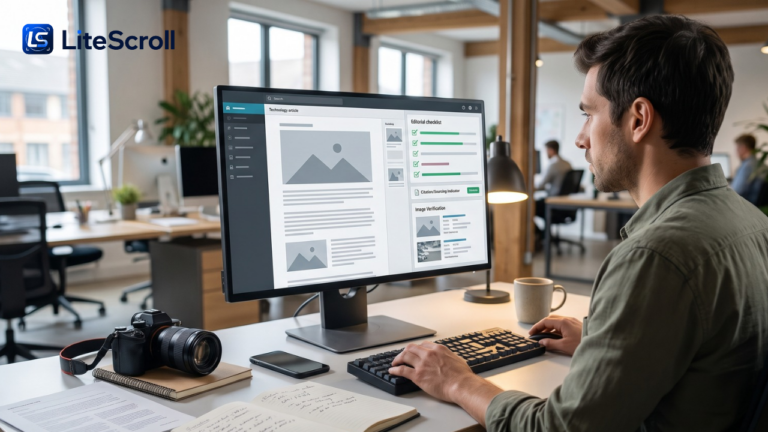
How Newsrooms Keep Information Accurate in an AI-Driven World
News travels faster than ever, but speed does not make a claim true. A dramatic photograph,...
Read guide
Studying in Birmingham: A Practical Guide to Courses, Careers, and Campus Life
Choosing a university is not just about a league-table position. The right course should match your...
Read guideBuild your SEO workflow with LiteScroll
Use LiteScroll guides to understand crawler reports, Chrome extension checks, and practical SEO improvements for your pages.
Start with LiteScroll SEO Crawler today
Use litescroll.com to crawl your website, inspect important pages, copy SEO details, and download clean reports with LiteScroll SEO Crawler and LiteScroll SEO Inspector.